" height="26.80529977783203px" id="tymKb8bqC" width="128.00300311279295px"/><path d="M 0 2.417 L 0 0 L 12.909 0 L 12.909 2.417 Z" fill="rgb(126, 78, 253)" height="2.417099999999998px" id="aYr4em6zK" transform="translate(128.341 22.325)" width="12.908999999999992px"/></svg>)

"/><stop offset="1" stop-color="rgb(118, 37, 250)"/></linearGradient></defs><g d="M 19.242 21.22 L 19.362 6.204 L 19.272 6.204 L 13.757 21.22 L 10.161 21.22 L 4.796 6.204 L 4.706 6.204 L 4.825 21.22 L 0 21.22 L 0 0 L 7.283 0 L 12.109 13.607 L 12.229 13.607 L 16.844 0 L 24.247 0 L 24.247 21.22 Z M 26.421 26.113 L 26.421 23.445 L 41.407 23.445 L 41.407 26.113 Z" fill="transparent" height="26.112508199679183px" id="DvfaAIHYn" width="41.40731898311435px"><path d="M 19.242 21.22 L 19.362 6.204 L 19.272 6.204 L 13.757 21.22 L 10.161 21.22 L 4.796 6.204 L 4.706 6.204 L 4.825 21.22 L 0 21.22 L 0 0 L 7.283 0 L 12.109 13.607 L 12.229 13.607 L 16.844 0 L 24.247 0 L 24.247 21.22 Z" fill="rgb(46, 46, 46)" height="21.220180016149442px" id="pLsxRCobd" width="24.247352589074694px"/><path d="M 0 2.668 L 0 0 L 14.986 0 L 14.986 2.668 Z" fill="url(%23yD9d4I5GR-3279285344-linear-gradient)" height="2.6675085048549647px" id="yD9d4I5GR" transform="translate(26.421 23.445)" width="14.986002836263765px"/></g></svg>)

Camelia Khadraoui
I know you need some help with your hooks because you clicked on this article, and I know my hook is working because you haven’t scrolled down yet.
That’s the power of a scroll-stopping hook.
On LinkedIn, you have less than a second to convince someone that your post is worth their time. If your opening line doesn’t spark curiosity, tension, surprise, or value, your audience will simply keep scrolling.
Below is a list of interesting hooks you might wanna try:
TL;DR
Scroll down for a list of 20 scroll-stopping hooks you could try! ✍🏽
What Is a LinkedIn Hook?
A LinkedIn hook is an attention-grabbing sentence that makes your network stop scrolling and engage with your post.

A strong hook creates curiosity, generates emotion, or establishes authority by offering immediate value. It can be a relatable question, an unexpected fact, or an industry statistic.
Either way, your hook is the one that convinces your LinkedIn network to engage or keep scrolling.
So, how can you write the best hooks for LinkedIn?
3 Tips to Write Engaging LinkedIn Hooks
1. Make Your LinkedIn Hook Relatable
To get people to engage with your content, talk about their challenges, experiences, or goals. Consider your target audience and what they care about the most.
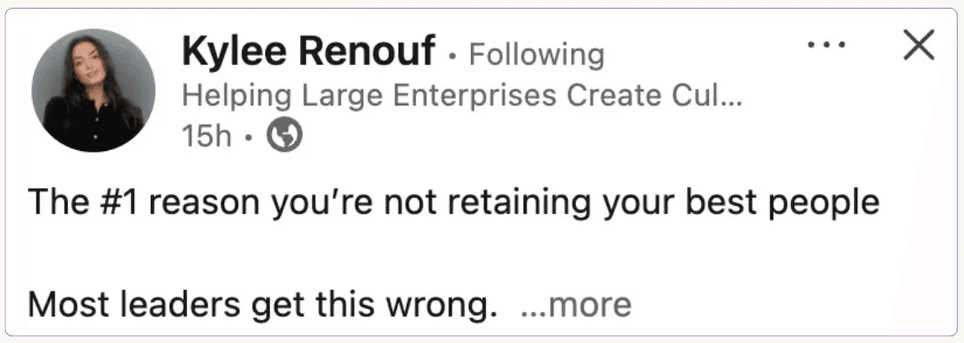
Are they trying to grow their business, get a new job, or network with industry leaders?
2. Create Curiosity
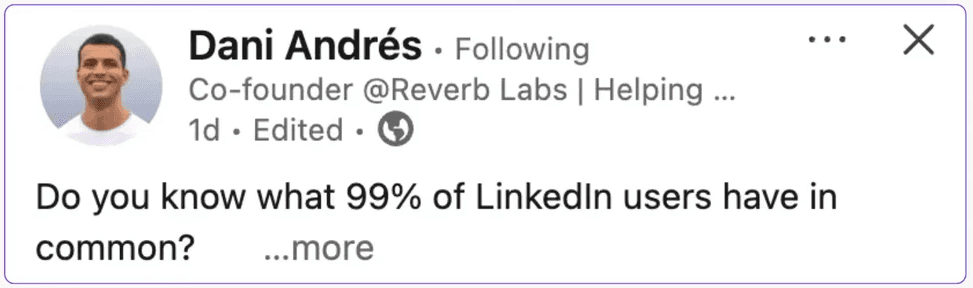
Your LinkedIn hook should leave your audience wanting more. Promise something worth checking out without giving away the full answer.
3. Keep It Specific
Vague hooks on LinkedIn won’t grab anyone’s attention.
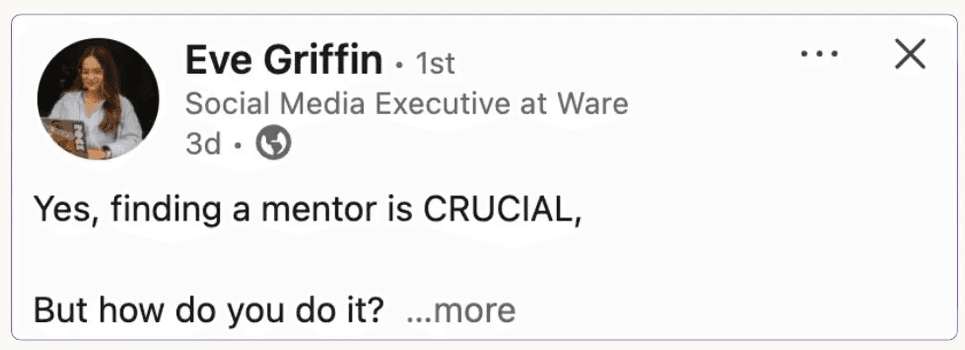
Set clear expectations and give your audience a reason to click “View more.” Showcase your post’s value by using numbers or statistics.
Use MagicPost's LinkedIn Hook Generator
Struggling to come up with a LinkedIn hook that will make your post go viral?
You can use MagicPost's free LinkedIn hook generator to write hooks that will get your network’s attention.
All you have to do is enter your topic and let MagicPost’s AI write the hook to make people want to read more.
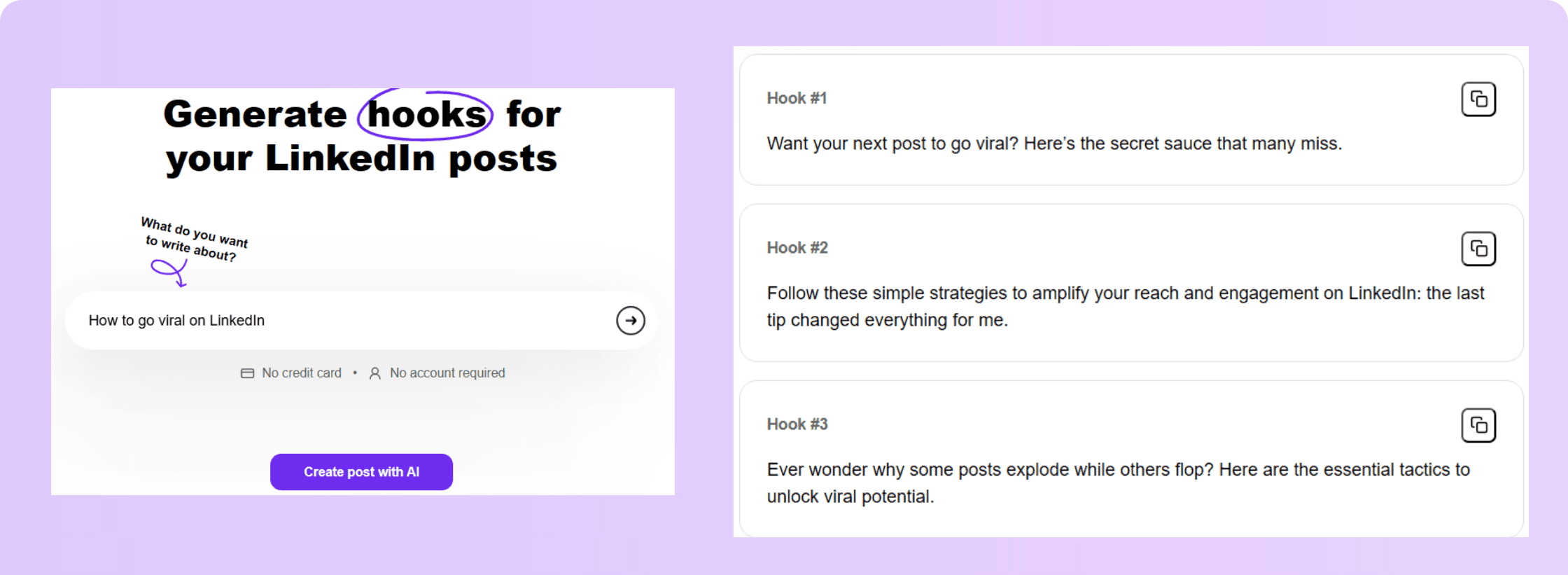
The best part? It’s 100% free, and you can generate as many hooks as you want without having to sign up.
20 LinkedIn Hook Examples for More Engagement
Not sure about the hook for your next LinkedIn post? Take a look at these 20 LinkedIn hook types to make your post go viral.
1. The Question Hook
Ever send a LinkedIn connection request and never heard back?
Why it works: A strong question instantly sparks curiosity and makes readers reflect on their own experiences.
When to use it: Use this to highlight a relatable struggle or introduce a topic your audience cares about.
2. The Statistics Hook
Did you know that 70% of LinkedIn users never engage with posts?
Why it works: Surprising numbers grab attention and add credibility to your message.
When to use it: Use this when presenting data-backed insights or emphasizing the scale of a problem.
3. The Quote Hook
“The only way to do great work is to love what you do.” – Steve Jobs
Why it works: Quotes tap into familiar wisdom and quickly build emotional resonance.
When to use it: Use this when sharing lessons, reflections, or mindset shifts inspired by the quote.
4. The Challenging Hook
Traditional networking is dead.
Here’s why I believe online connections are the future.
Why it works: A bold, provocative claim creates friction that stops the scroll.
When to use it: Use this to challenge common beliefs or introduce a new, unconventional perspective.
5. The Funny Hook
Why don’t skeletons fight each other? They don’t have the guts.
Why it works: Humor breaks the monotony of the feed and makes readers instantly like you.
When to use it: Use this to add personality or transition from a joke into a meaningful business insight.
6. The Motivating Hook
Success doesn’t come from what you do occasionally, it comes from what you do consistently.
Here’s how to stay consistent and make real progress.
Why it works: Motivational lines trigger inspiration and emotional engagement.
When to use it: Use this to encourage positive habits, discipline, or growth strategies.
7. The Personal Story Hook
I just wrapped up a huge project that took months of hard work.
Why it works: Authentic stories build trust and relatability.
When to use it: Use this when sharing lessons from personal wins, failures, or turning points.
8. The “How-To” Hook
Want to improve your LinkedIn profile in just 5 minutes?
Why it works: A clear promise of actionable value makes people click “See more.”
When to use it: Use this when giving step-by-step instructions or breaking down a process.
9. The Resource Hook
Struggling with time management? This ebook helped me boost my productivity.
Why it works: Offering a valuable resource positions you as helpful and knowledgeable.
When to use it: Use this when sharing tools, templates, or guides you personally recommend.
10. The Myth-Busting Hook
Everyone says you need to post daily to grow on LinkedIn.
But I grew my network with just a few posts a week.
Why it works: Debunking a myth challenges what people think they know, grabbing their attention.
When to use it: Use this to correct misconceptions or introduce a more effective approach.
11. The Case Study Hook
We tested 3 LinkedIn engagement strategies. One had 300% more impact than the others.
Why it works: Real results instantly create curiosity and credibility.
When to use it: Use this to showcase experiments, client wins, or data-driven outcomes.
12. The Problem-Solution Hook
Feeling overwhelmed by your to-do list?
Why it works: Calling out a pain point makes readers feel understood immediately.
When to use it: Use this when offering a practical solution to a common problem.
13. The “What If” Hook
What if you could double your LinkedIn engagement without posting 3 times a week?
Why it works: “What if” triggers imagination and curiosity about new possibilities.
When to use it: Use this to introduce innovations, shortcuts, or unexpected strategies.
14. The “This or That” Hook
Short, punchy text posts or longer, more in-depth articles?
Why it works: Contrasts spark debate and encourage comments.
When to use it: Use this when comparing tools, strategies, or trends to drive engagement.
15. The FOMO Hook
Everyone’s talking about LinkedIn’s latest algorithm update.
Why it works: FOMO pushes people to stay informed and not miss out.
When to use it: Use this to discuss trends, updates, or important changes your audience should know.
16. The Trend Hook
The rise of AI tools is transforming content creation.
Staying ahead of this trend gives you a competitive edge
Why it works: Trends attract attention because people want to stay relevant.
When to use it: Use this when discussing industry shifts or new opportunities.
17. The Behind-the-Scenes Hook
Ever wondered how we design innovative products?
Why it works: Sharing the process builds transparency and trust.
When to use it: Use this when showcasing workflows, team culture, or work-in-progress projects.
18. The Fast-Track Hook
It took me 3 years to master this strategy.
I’ll explain it to you in one LinkedIn post.
Why it works: Promising a shortcut instantly grabs interest.
When to use it: Use this when providing quick wins or simplified methods.
19. The Emotional Hook
My hands were shaking. I couldn’t believe this was happening…
Why it works: Emotion is one of the strongest attention grabbers.
When to use it: Use this for vulnerable stories, big turning points, or dramatic moments.
20. The Announcement Hook
It’s finally here! After 3 years of product development, we’re excited to launch…
Why it works: Big news creates excitement and curiosity.
When to use it: Use this for launches, major updates, or important personal milestones.
Takeaway
There you have it, 20 scroll-stopping LinkedIn hooks to grab attention, spark engagement, and finally make your posts impossible to ignore.
Now it’s your turn: pick a hook, add your unique twist, and watch your notifications come alive.
FAQ
How do I write a strong LinkedIn hook?
To write an eye-catching hook for LinkedIn, start with a short sentence that creates emotion or curiosity. Use statistics, relatable questions, or surprising facts.
What are the best hooks for LinkedIn?
The best hooks for LinkedIn are the ones that quickly grab your audience's attention and spark curiosity. The best-performing LinkedIn hooks include a question, statistic, story, or bold statement.
What makes a LinkedIn hook go viral?
A LinkedIn hook goes viral if it sparks curiosity, surprises, or shares a strong opinion that makes people react, comment, or share.
How to Write Great LinkedIn Posts with AI (2026)
Learn how to write great LinkedIn posts with AI by developing your writing voice, using MagicPost, and experimenting with techniques to boost engagement.
Contentdrips Review: Features, Pros and Cons (2026)
In this Contentdrips review, we will go over the features, pros, and cons of this tool. We will also check the pricing and how it compares to Magicpost.
How to Create a Linkedin Content Calendar That Works
Learn how to create a LinkedIn content calendar to plan, schedule, and grow your professional presence with consistent, engaging posts.

Taplio vs Hypefury: Which LinkedIn Tool is Better?
Let's compare Taplio vs Hypefury: discover which platform best fits your content, workflow, and audience-growth goals.
Supergrow Vs Taplio: Which LinkedIn Tool Wins?
Compare Supergrow vs Taplio in a clear side-by-side breakdown to find out which LinkedIn growth tool fits your content, networking, and analytics needs.