" height="26.80529977783203px" id="tymKb8bqC" width="128.00300311279295px"/><path d="M 0 2.417 L 0 0 L 12.909 0 L 12.909 2.417 Z" fill="rgb(126, 78, 253)" height="2.417099999999998px" id="aYr4em6zK" transform="translate(128.341 22.325)" width="12.908999999999992px"/></svg>)

"/><stop offset="1" stop-color="rgb(118, 37, 250)"/></linearGradient></defs><g d="M 19.242 21.22 L 19.362 6.204 L 19.272 6.204 L 13.757 21.22 L 10.161 21.22 L 4.796 6.204 L 4.706 6.204 L 4.825 21.22 L 0 21.22 L 0 0 L 7.283 0 L 12.109 13.607 L 12.229 13.607 L 16.844 0 L 24.247 0 L 24.247 21.22 Z M 26.421 26.113 L 26.421 23.445 L 41.407 23.445 L 41.407 26.113 Z" fill="transparent" height="26.112508199679183px" id="DvfaAIHYn" width="41.40731898311435px"><path d="M 19.242 21.22 L 19.362 6.204 L 19.272 6.204 L 13.757 21.22 L 10.161 21.22 L 4.796 6.204 L 4.706 6.204 L 4.825 21.22 L 0 21.22 L 0 0 L 7.283 0 L 12.109 13.607 L 12.229 13.607 L 16.844 0 L 24.247 0 L 24.247 21.22 Z" fill="rgb(46, 46, 46)" height="21.220180016149442px" id="pLsxRCobd" width="24.247352589074694px"/><path d="M 0 2.668 L 0 0 L 14.986 0 L 14.986 2.668 Z" fill="url(%23yD9d4I5GR-3279285344-linear-gradient)" height="2.6675085048549647px" id="yD9d4I5GR" transform="translate(26.421 23.445)" width="14.986002836263765px"/></g></svg>)
LinkedIn Post Pricing Calculator
Calculate fair, consistent pricing for your posts in seconds.
Setting prices is often one of the hardest parts of running a business, but using a pricing calculator gives you confidence and clarity from the start.
If you charge too much, you worry about losing the client.
If you charge too little, you might end up feeling resentful while doing the work.
Pricing feels emotional, unclear, and risky. That’s why a LinkedIn pricing calculator is so helpful for freelancers, founders, agencies, and product teams.
How to Use a LinkedIn Post Pricing Calculator ?
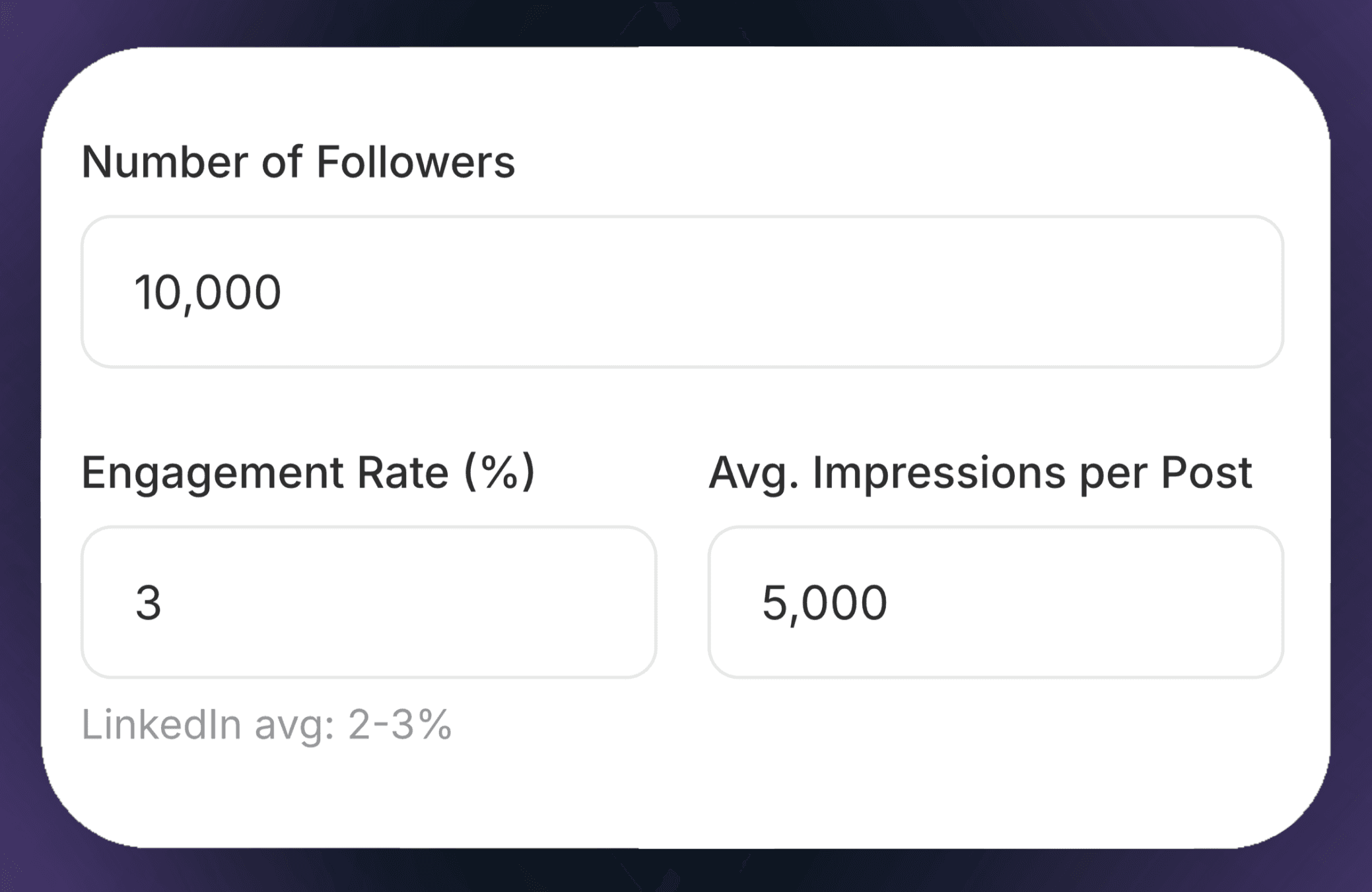
STEP 1
Gather Profile Metrics
Insert your current follower count and average engagement rate (e.g., likes, comments, and shares per post).
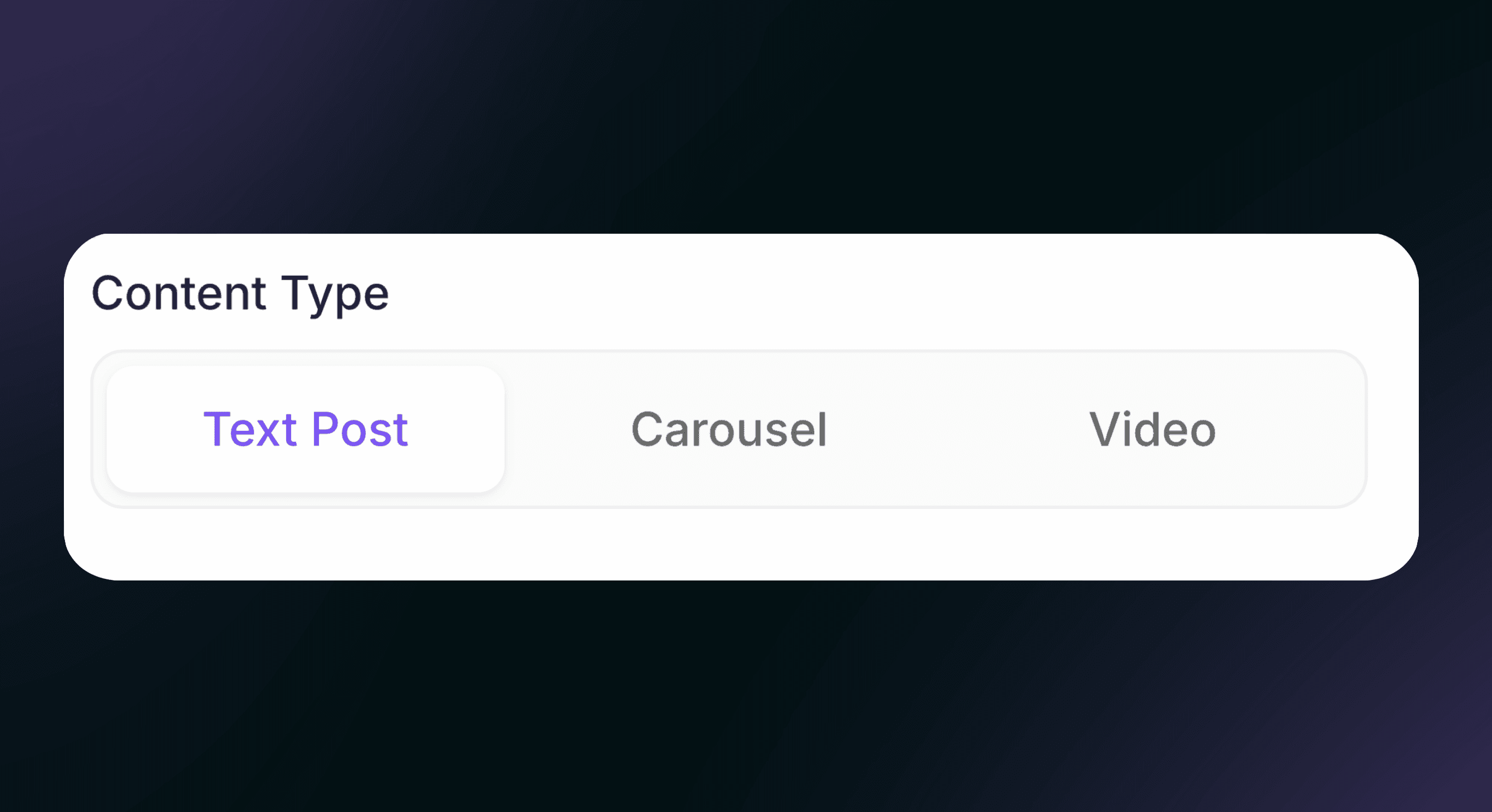
STEP 2
Enter Campaign Details
Choose your Post Type (e.g., Image, Video, or Carousel)
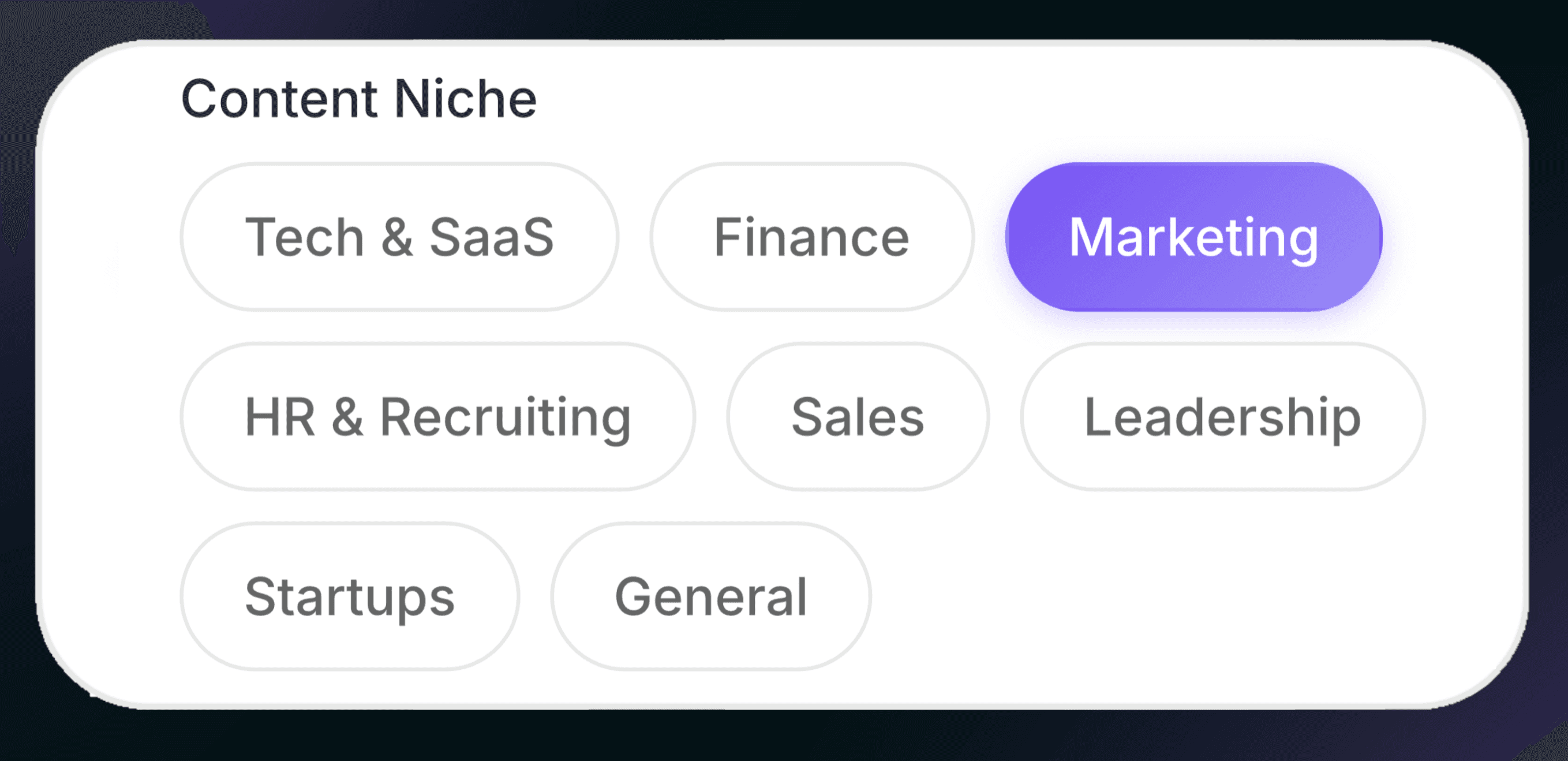
STEP 3
Enter Your Content Niche
Choose your Target Audience and adjust your niche according to your field: Marketing, finance, sales…
STEP 2
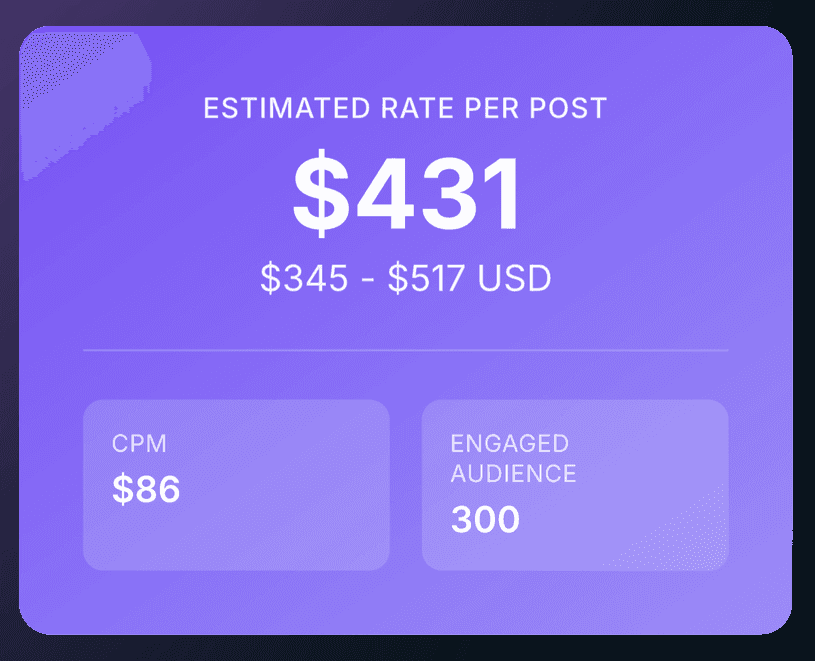
Review the result
Click the Calculate button to get a suggested price range.
LinkedIn Post Pricing Calculator Glossary
Number of Followers
The total size of your audience or the number of people who have opted-in to see your updates.
Engagement Rate
The percentage of your audience that actually interacts with your posts through likes, comments, and shares.
Average Impressions per Post
The typical number of times your content is displayed on screens, regardless of whether it was clicked.
Content Niche
The specific subject matter or industry you specialize in, such as FinTech, SaaS, or Career Coaching.
Content Type
The format of the post you are creating, such as a video, a PDF carousel, or a long-form text post.
Brand Fit
How well a company’s values and products align with your personal brand and your audience's interests.
Estimated Rate per Post
The recommended dollar amount you should charge a brand for a single piece of content.
CPM (Cost Per Mille)
When a user reposts your content to their own network.
Engaged Audience
The specific segment of your followers that consistently interacts with and pays attention to your content.
Campaign Scope
The full list of deliverables and requirements for a project, including the number of posts and the length of the partnership.
What’s a Pricing Calculator?
A pricing calculator offers more than just a number; it gives structure.
Factoring in time, costs, margins, and goals helps you set a price you can feel good about.
Instead of just asking, “What do others charge?” you start asking more useful questions: How much do I need to earn? What does this project really cost me? What margin is right?
The outcome isn’t just a numbe, it’s confidence in your pricing.
Perks of using a LinkedIn Post pricing Calculator
Many pricing decisions come from comparison and fear. People check competitors' prices, lower their prices, or pick a number that seems okay.
The Psychological Weight of Pricing
Pricing is about more than just money. It’s also about how you feel.
If you don’t believe in your price, it’s obvious. You might hesitate, explain too much, or offer discounts too quickly. Clients notice that uncertainty right away.
A pricing calculator helps you feel more certain. When your price is based on straightforward logic, you don’t have to defend it. You can share it calmly and professionally.
This alone can change how clients see your value.
Establish professional Credibility
Using a calculator shows you rely on data, not guesswork, which sets you apart as a professional.
It provides brands with an objective “market rate” that is much easier for marketing managers to approve. This transparency builds immediate trust and sets a high standard for your partnership.
Respond to brand leads faster and focus on word instead of admin.
Negociate Confidently
A calculator helps you stand firm on your rates because they are based on logic, not feelings.
If a brand questions your rates, you can show metrics such as CPM and engagement to demonstrate your value. This takes the stress out of talking about money because the data supports you.
Guarantee a Fair Compensation for Yourself
Many creators undercharge because they miss the extra value their niche or target audience brings.
A tool helps you include factors like B2B targeting and high-effort content types such as video.
This protects you from low offers and helps you get paid what you deserve.
Save Time
Instead of spending time calculating fees for every message, a tool lets you create consistent quotes in seconds.
It also helps you track your growth and shows when your improving numbers support a price increase. This consistency makes your business easier to grow and more professional.
Frequently Asked Questions
1. What is a post pricing calculator?
A post pricing calculator helps creators and marketers figure out a fair price for their content by looking at things like reach, engagement, and the type of content.
2. Who can benefit from using this tool?
Freelancers, influencers, content creators, and social media managers can use it to set prices for their posts in a consistent and professional way.
3. How does the calculator determine the price?
It looks at important numbers like audience size, engagement rate, and content type to give you an accurate, data-based price.
4. Do I need to create an account to use it?
You don’t need an account. You can get your post price right away and without any hassle.
5. Can I adjust the calculation paYes, you can enter different numbers like engagement, impressions, or content type to see how the price changes.e changes.
6. Will this tool help me negotiate with brands?
Yes, it gives you a clear and data-backed price guide, so you can explain your rates and negotiate with confidence.
More Free Tools from MagicPost
MagicPost offers a variety of free tools to enhance your LinkedIn content, including:
LinkedIn Headline Generator: Craft a standout profile headline.
Hook Generator: Create compelling openings for your posts.
Post Ideas Generator: Get fresh content ideas instantly.
LinkedIn Post Previewer: See how your post appears before publishing.
Video Downloader: Save LinkedIn videos effortlessly.