" height="26.80529977783203px" id="tymKb8bqC" width="128.00300311279295px"/><path d="M 0 2.417 L 0 0 L 12.909 0 L 12.909 2.417 Z" fill="rgb(126, 78, 253)" height="2.417099999999998px" id="aYr4em6zK" transform="translate(128.341 22.325)" width="12.908999999999992px"/></svg>)

"/><stop offset="1" stop-color="rgb(118, 37, 250)"/></linearGradient></defs><g d="M 19.242 21.22 L 19.362 6.204 L 19.272 6.204 L 13.757 21.22 L 10.161 21.22 L 4.796 6.204 L 4.706 6.204 L 4.825 21.22 L 0 21.22 L 0 0 L 7.283 0 L 12.109 13.607 L 12.229 13.607 L 16.844 0 L 24.247 0 L 24.247 21.22 Z M 26.421 26.113 L 26.421 23.445 L 41.407 23.445 L 41.407 26.113 Z" fill="transparent" height="26.112508199679183px" id="DvfaAIHYn" width="41.40731898311435px"><path d="M 19.242 21.22 L 19.362 6.204 L 19.272 6.204 L 13.757 21.22 L 10.161 21.22 L 4.796 6.204 L 4.706 6.204 L 4.825 21.22 L 0 21.22 L 0 0 L 7.283 0 L 12.109 13.607 L 12.229 13.607 L 16.844 0 L 24.247 0 L 24.247 21.22 Z" fill="rgb(46, 46, 46)" height="21.220180016149442px" id="pLsxRCobd" width="24.247352589074694px"/><path d="M 0 2.668 L 0 0 L 14.986 0 L 14.986 2.668 Z" fill="url(%23yD9d4I5GR-3279285344-linear-gradient)" height="2.6675085048549647px" id="yD9d4I5GR" transform="translate(26.421 23.445)" width="14.986002836263765px"/></g></svg>)

Yasmina Akni Ebourki
Just landed a new job? Instead of simply updating your title on LinkedIn, knowing how to announce a new job in the right way can help you grow your brand, attract new opportunities, and keep your network engaged and informed.
Let’s explore the best techniques to announce a new job.
Best of all, I’ll share 5 specially crafted templates…
Announcing your new job on LinkedIn helps strengthen your personal brand, re-engage your network, and share your career progress professionally. This article gives you the steps on how to boost visibility on your account when posting about a job update.
The article also provides five plug-and-play templates to make posting easier.
Understanding LinkedIn Job Announcements
Did you know that over 30 million job postings are published each year and around 6 people get hired every minute! LinkedIn moves quick, you want to ensure you don't fall behind.
This means countless professionals and recruiters are watching, and your announcement post gives you valuable visibility in an incredibly crowded space.
Think of it not just as a simple post but as a strategic career move in your personal branding.
The Purpose of a New Job Announcement on LinkedIn
But what is the real purpose of sharing a post about a new job? And what value does it bring to the person reading it? It might not be obvious at first, but a post matters because:
Here’s why announcing your new job on LinkedIn is important:
Clarifies your career direction: It lets you grow your network, know about your next professional chapter and what you’re specializing in.
Builds personal branding: Consistent updates demonstrate growth, ambition, and credibility; you can even use this point to tell a story about your career.
Reactivates dormant connections: Former colleagues or classmates may reach out when they see your news.
Attracts new opportunities: Recruiters, potential clients, and collaborators often discover talent through job-related updates.
Shows gratitude and professionalism: Thanking your previous employer or mentors reflects positively on your reputation.
Signals career momentum: Regular milestones help position you as someone active and evolving in your field.
In short, this kind of announcement isn’t just about where you’ve been, it’s about where you’re going and who might want to join you on the journey.
What Does #OpenToWork Mean on LinkedIn?
You’ve probably seen profiles that still have the #OpenToWork tag and wondered what it means. Over 28 million users use this hashtag, helping to create visibility.
This feature indicates that the person is actively looking for new opportunities and encourages recruiters to get in touch.
However, once you’ve accepted a new role, it’s important to remove the #OpenToWork label from your profile.

Preparing for Your New Job Announcement
You got the new job, great! But how do you prepare content and write a post that works?
A well-crafted post can help you expand your professional network, position yourself as a thought leader in your field, and open doors to future opportunities.
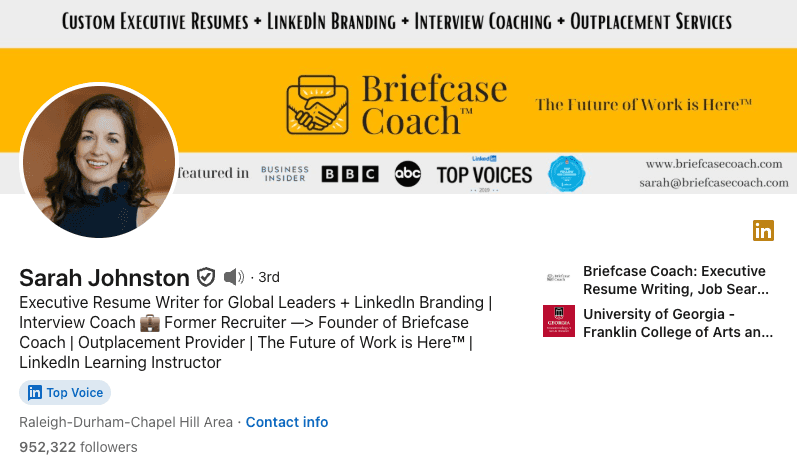
According to Sarah Johnston, LinkedIn Career Coach, "Your job announcement post is often one of the highest-visibility updates you’ll ever share on LinkedIn. A thoughtfully written announcement not only celebrates your success but also attracts new connections and potential collaborators."
Before hitting “post,” consider updating your page:
Updating your LinkedIn profile (title, company, banner, and About section).
Preparing a clear, concise, and positive message that shows gratitude and excitement.
Using a professional headshot, since posts with images receive 2x more engagement on LinkedIn.
Adding your new position to your LinkedIn experience section.
When Should You Announce Your New Role?
Wondering when the right moment is to share your exciting career news? Timing matters.
Here are some smart options to consider:
After your official start date, avoid premature announcements if unexpected changes occur.
Once you’ve received confirmation from HR or your new employer that sharing your news publicly is allowed and aligns with company policies.
After completing your trial or probationary period, if applicable, many prefer to wait until the position feels fully secure to avoid awkwardness if things don’t go as planned early on.
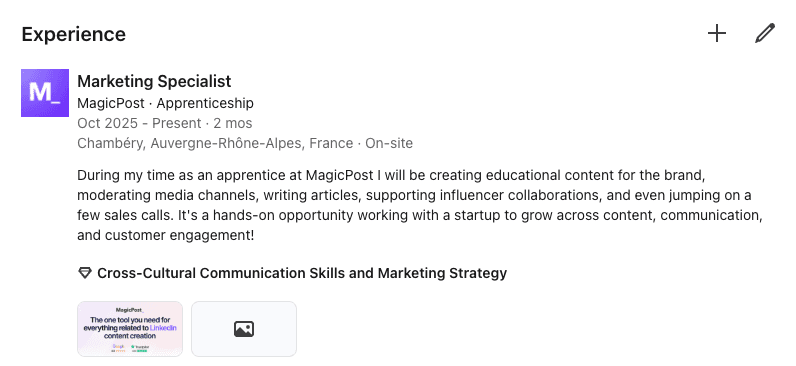
6 Key Elements of a Successful LinkedIn Job Announcement
Now, you might be wondering, “What should I say in the post, and how do I make it sound genuine without oversharing or sounding boastful?”
To help you craft a post that strikes the right balance between professionalism, gratitude, and excitement, focus on these six essential elements:
Grateful Acknowledgment of Your Previous Employer
Express appreciation for the opportunities, mentorship, and experiences gained in your prior role. This shows professionalism and leaves a positive impression with past colleagues and connections.
Excitement About Your New Role and Responsibilities
Share your enthusiasm about this next step in your career, briefly highlighting what excites you about the new position without going into excessive detail.
Mention what attributes you are bringing to your new team
50% of hires rely on skills data, this could be a great way to showcase what skills and competencies you bring. Make sure they are relevant to the job you are entering.
A Positive and Professional Tone Aligned with Your Personal Brand
Keep your personality and voice in the post, you don't want to come off sounding too robotic. Keep the tone humble, authentic, and aligned with how you want to be perceived in your professional network and new cohorts.

Engagement-Boosting Elements (Hashtags, Mentions, and a Relevant Photo)
Including hashtags (#NewRole, #CareerGrowth, #Gratitude) and tagging your new company or manager increases post visibility.
A Call to Connect or Collaborate
Encourage interaction from your network by inviting messages, collaboration opportunities, or advice relevant to your new role. This fosters engagement and positions you as approachable.
By weaving in these six elements, you not only celebrate your achievement but also strengthen your personal brand, nurture professional relationships, and potentially unlock new career opportunities.
5 New Job Announcement Examples for LinkedIn
And now, here’s the best part: drafting the post! If you’re not sure where to start, I’ve got five proven templates designed for different career situations and personalities, plus guidance on who each one suits best.
Example 1: Short and Simple Announcement
Confession: I just landed a new role, and I’m a little scared.
(But that’s how it should be.)
I’m now the new [Job Title] at [Company Name], and here’s what I’m thinking:
Can I meet expectations?
Did I make the right choice?
Will I belong?
Those doubts? They’re just afraid of trying to hold us back.
So I chose to:
→ Leave my comfort zone
→ Embrace uncertainty
→ Trust my skills
Because growth lives outside comfort, and every great story starts with taking a chance.
I’m excited to join a company that [company impact statement].
New team. New challenges. New chapter, ready to make it count. ✨
Repost if you’ve ever felt the same. ♻️
P.S. When was your last bold career move? Share below 👇
Best for: Professionals who want a candid, authentic tone that shows vulnerability and motivation. Ideal for younger workers, career changers, or anyone embracing a bold step.
Example 2: Gratitude-Focused Announcement
After an incredible journey at [Previous Company], I’m excited to begin my next chapter as [New Job Title] at [New Company].
Grateful for the challenges that helped me grow, the mentors who believed in me, and the teams that made work unforgettable.
What I’ve learned above all: success is about [choose 2–3 values: collaboration, innovation, resilience, growth, teamwork].
Now, I’m ready to [list 2–3 goals or impacts in the new role] and continue making a difference.
Thanks to everyone who supported me along the way; I couldn’t have done it without you.
Here’s to new adventures, new opportunities, and new connections. ✨
Best for: Mid-career professionals and leaders who want to honor their experience while expressing optimism about the future.
Example 3: Freelancer or Consultant Announcement
Freelancing isn’t just a side gig anymore, and I’m excited to take the leap.
After [X years/experience area], I’ve seen how businesses struggle with [key challenge you solve] in today’s digital landscape.
That’s why I’m now offering:
[Service 1]
[Service 2]
[Service 3] (optional)
But this isn’t just about [basic service description], it’s about building [unique value proposition: scalable systems, authentic strategies, measurable results, etc.].
The market is shifting fast. Let’s make sure your [service area] stays ahead of the curve.
📩 Open to collaborations and exciting projects ahead.
Best for: Independent professionals launching or growing their freelance business, consultants, and creatives aiming to attract clients via LinkedIn.
Example 4: New Role Announcement for a Promotion
I’m excited to share my next career chapter today. 🎉
But here’s something about growth we rarely talk about:
It’s never just one person’s work.
It’s never purely self-made.
It’s never an overnight success.
Every step forward comes from [mentors, teammates, friends, family, or other supporters] who invested their time, advice, and encouragement in our journey.
Today, as I begin my new role as [Your New Role] at [Company], I’m celebrating not just this milestone, but every person who helped me reach it.
Keep lifting others as you climb. 🌟
P.S. Who’s been part of your journey? Tag them; they deserve the credit.
Best for: Professionals promoted within their current company who want to highlight collaboration and gratitude rather than focusing solely on personal achievement.
Example 5: Career Change Announcement
After [X years] in [previous field/role], I’m excited to transition into [new field/role] as [new job title] at [company]. Here’s to new beginnings.
Here’s the truth about career transitions:
Your past experience isn’t wasted time; it’s your competitive advantage.
In my case:
[Skill 1] → [How it transfers to a new field]
[Skill 2] → [How it transfers]
[Skill 3] → [How it transfers]
Every step of your journey builds your foundation for the next one. You’re not starting from scratch; you’re building on strength.
P.S. Thinking about a career change? What’s holding you back? Let’s share stories in the comments.
Best for: Professionals switching industries who want to acknowledge the challenge and frame their diverse skills as assets.
Writing a Compelling New Job Announcement Post
But if you want to write the post yourself and give it a more personal touch, there are certain details you should keep in mind.
How to Structure Your Post for Maximum Engagement
Opening Line: A brief, exciting statement (“I’m thrilled to share…”)
Acknowledgment: Thank your previous employer, mentors, or colleagues.
New Role Details: Mention your new position and company name, maybe a brief description of your role.
Future Outlook: Share what excites you about the opportunity. (Bonus: could be a good place to mention the skills and knowledge you have on a certain topic)
Closing Call-to-Action: Invite connections to stay in touch or collaborate.
Choosing the Right Tone and Language
It’s essential to strike a balance between celebration and humility.
Use a humble, optimistic, and professional tone; this ensures your announcement resonates authentically and avoids coming across as bragging or overly self-promotional.
The tone may vary depending on industry norms, so use your best judgment:
In corporate finance or legal sectors, a more formal and reserved tone is appropriate: e.g., “I’m honored to begin my role in Corporate Strategy at [Bank], where I’ll be contributing to regulatory compliance and growth initiatives.”
In creative or tech industries, a slightly more relaxed and enthusiastic voice might be welcome: e.g., “I’m thrilled to join the content team at [Startup], where I’ll help tell stories that inspire and engage.”
Visuals and Media: Enhancing Your Post with Images and Videos
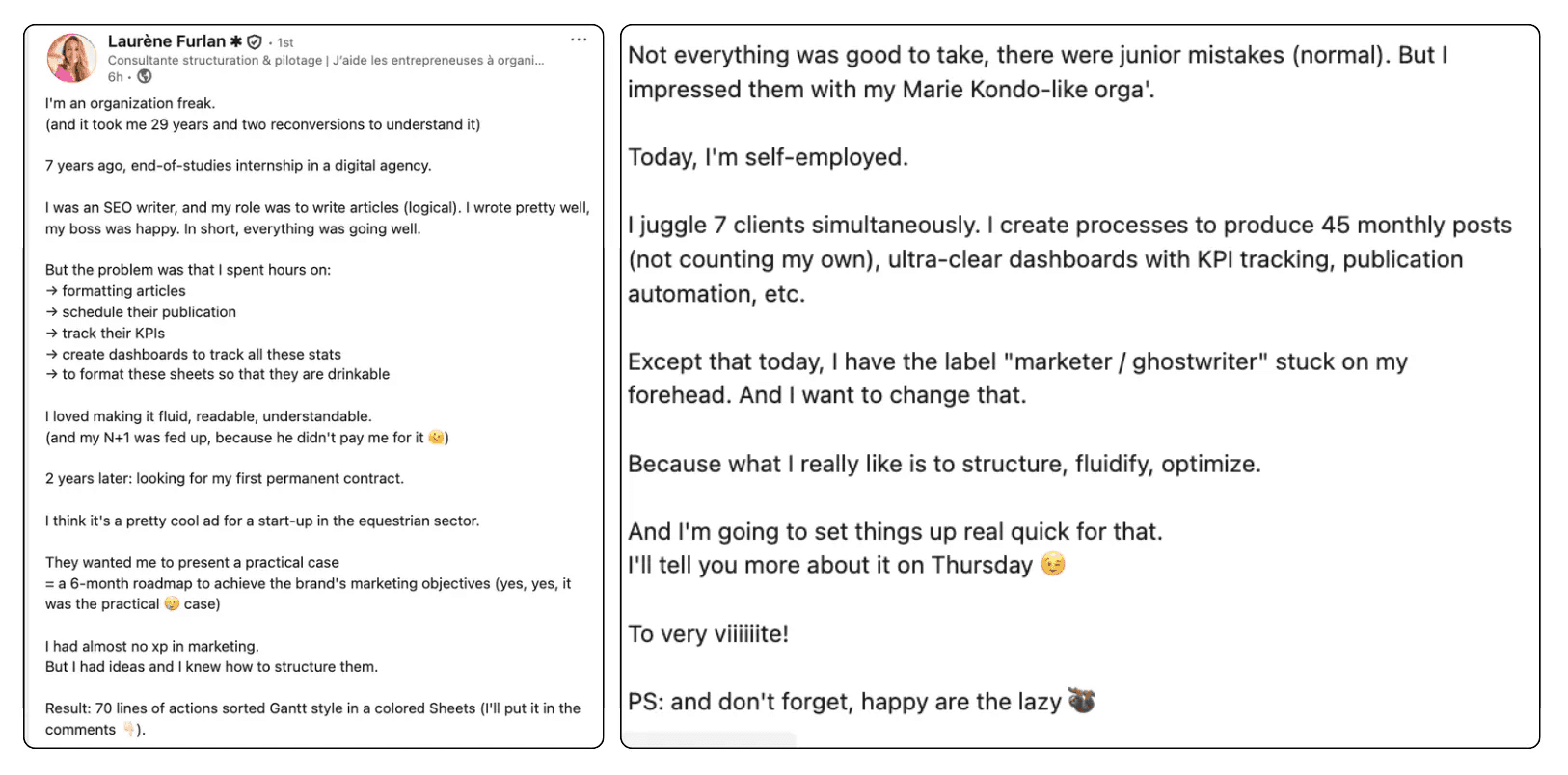
Did you know that posts with images or videos receive 2–3x more engagement on LinkedIn compared to text-only updates?
In the fast-scrolling LinkedIn feed, visuals make your announcement stand out, grab attention instantly, and add a personal touch that words alone can’t convey.
When announcing a new job, the right visual can help you tell your story, celebrate your milestone, and invite interaction from your network.
Here are some powerful ways to use media effectively in your post:
Professional Headshot: A polished, updated photo of you gives your post a personal, relatable touch. It helps your connections put a face to the news and creates a stronger sense of connection.
Photo of Your New Workplace or Team: A candid snapshot of your first day, your new office setup, or a team gathering can make your announcement feel authentic and engaging.
Personalized Graphic: Create a branded image featuring your name, new title, and company logo. This works particularly well for senior-level roles, career pivots, or when you want a visually polished announcement.
Celebratory Moment: A photo from your farewell event or a coffee with colleagues can showcase gratitude to your previous team while bridging the transition to your new chapter.
Keep your visuals professional yet approachable. Avoid overly staged or low-quality images; LinkedIn favors authentic, high-resolution media that feels genuine.
When paired with a thoughtful caption, visuals not only make your announcement more noticeable but also help people remember, react to, and engage with your post.
Common Mistakes to Avoid in a Job Announcement
Announcing a new job on LinkedIn is an important step in building your professional brand and engaging your network. However, many professionals make errors that can reduce the impact of their post or even harm their reputation.
Below are five key mistakes to avoid when publishing your LinkedIn job announcement, along with tips on how to do it right.
1. Announcing Your New Role Too Early
Sharing your news before your official start date or without confirmation from HR can cause complications, especially if internal communication is still in progress.
What to do instead: Wait until you are officially in the role and have permission to share the announcement publicly.
2. Using Negative Language About Your Previous Employer
This should be an obvious one, even if your previous experience wasn’t positive, airing grievances on LinkedIn can leave a lasting negative impression on potential employers and your professional network.
What to do instead: Keep your tone positive and professional. Express gratitude for what you’ve learned or for the relationships you built in your previous role.
3. Writing an Overly Long and Unstructured Post
Lengthy posts without clear formatting or focus often lose readers’ attention. A LinkedIn announcement should be engaging and easy to skim.
Instead, keep your message concise, break it into short paragraphs, and highlight the most important information: your new role, company, and a brief personal note.
4. Ignoring Engagement After Posting
A common mistake is to publish your announcement and then fail to respond to the comments or messages it receives. This can make your presence feel impersonal and miss an opportunity to strengthen relationships and boost your account for visibility.
What to do instead: Dedicate time to reply to congratulations messages and thank your network. Use this moment to reconnect with contacts and grow your professional relationships.
5. Making the Post Only About the Job Title or Company
Simply stating your title and employer can sound robotic and uninspiring, offering little insight into why this milestone matters to you. You could even throw in what you're most excited for in this new role and what you hope to achieve.
What to do instead: Add a personal touch. Share what excites you about the opportunity, the challenges you hope to tackle, or what this career move means for your professional journey.
Conclusion: Mastering Your LinkedIn Job Announcement to Truly Standout
Learning how to effectively announce a new job on LinkedIn is a vital skill for professionals and freelancers alike.
When you share a polished, authentic update, supported by the tips, best practices, and templates in this guide you boost engagement, attract new opportunities, and position yourself as someone who is actively growing in their career.
If you’ve recently started a new role, try creating your LinkedIn job announcement using the strategies above, you can create a professional, engaging, and authentic job announcement that resonates with your LinkedIn audience.
FAQ
1. Should I announce my new job immediately?
No. It’s better to wait until you’ve officially started in your new role and confirmed with HR or your manager that it’s appropriate to make a public announcement. Premature posts can lead to confusion or potential compliance issues if your hiring isn’t fully finalized.
2. Can I announce a freelance role as a new job?
Yes. Freelancers and independent consultants can share a new role announcement on LinkedIn. This helps showcase your expertise, signal availability for projects, and attract potential clients. Focus on the value you offer, the types of projects you’re open to, and include a call to collaborate.
3. How do I write a professional LinkedIn job announcement?
A strong announcement should be concise, positive, and personal. Mention your new role and employer, express gratitude to your previous company or mentors, and add a note about what excites you about this new opportunity. End with an invitation for your network to stay connected or share advice.
4. Should I tag my new employer in the announcement?
Yes, tagging your new employer or relevant team members can increase the visibility of your post and strengthen engagement. However, do this only if your employer’s social media policy allows it and you’re confident it will be well-received.
5. Is it okay to reuse job announcement templates?
Yes, you can take inspiration from common LinkedIn announcement examples, but avoid copying them word-for-word. Personalization is key to authenticity. Adapt the structure, then add details unique to your journey, such as a special thanks or what excites you about your new role.
6. What’s the best time to post a job announcement on LinkedIn?
While engagement can vary, research suggests that Tuesday to Thursday mornings (8–10 AM) are optimal for visibility on LinkedIn. These time frames capture professionals during peak networking hours.
7. Is it unprofessional to not announce a new job on LinkedIn?
No. While LinkedIn job announcements can help you celebrate milestones and maintain visibility, you’re under no obligation to share every career move. Some professionals choose to keep transitions private, particularly during a probationary period or for personal reasons.
8. How do I announce a promotion without sounding arrogant?
Keep the focus on gratitude and growth rather than self-praise. Acknowledge the team and mentors who supported you, and express excitement about contributing to your organization in a new capacity. This approach makes your post inspiring rather than boastful.

How to Send a Perfect LinkedIn Connection Request (2026)
Learn how to send a great LinkedIn connection request to grow your network. Best tips for professionals plus tried-and-true templates.

How to Tag Someone in a LinkedIn Post Effectively: 5-Step Guide
Tagging with a simple @ in your LinkedIn post can increase your visibility and engagement when done right. But there are a few best practices to follow.

LinkedIn Search by Name: How to Find Anyone Faster & Easier
Learn how to master LinkedIn search by name or email. Discover filters, Boolean tricks, and pro tips to find anyone on LinkedIn faster and connect like a pro.